

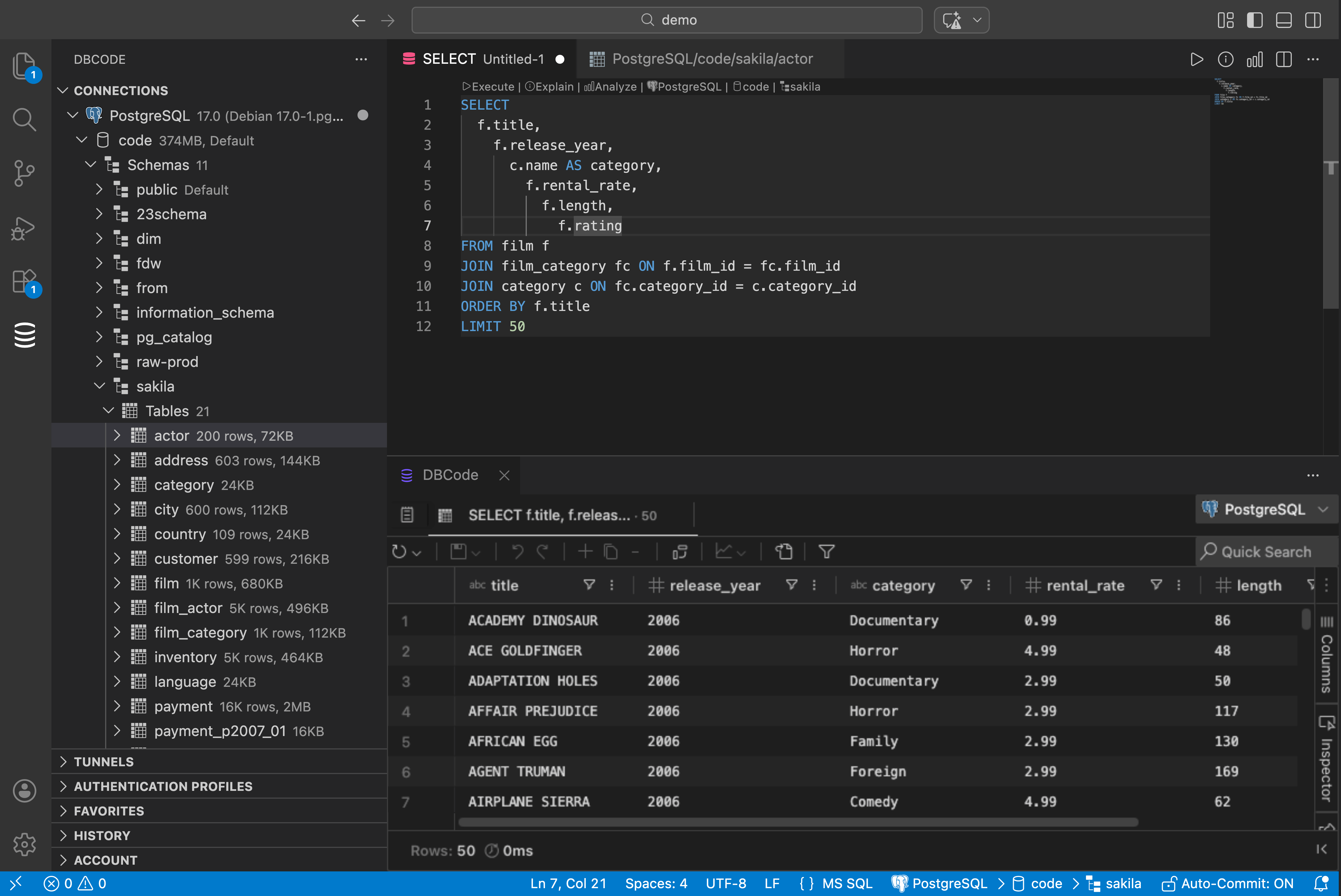
If you work with PostgreSQL and VS Code, you’ve probably got pgAdmin or DBeaver open in another window. Maybe a terminal running psql. Alt-tab, run query, alt-tab back. Fifty times a day.
There’s a better way.
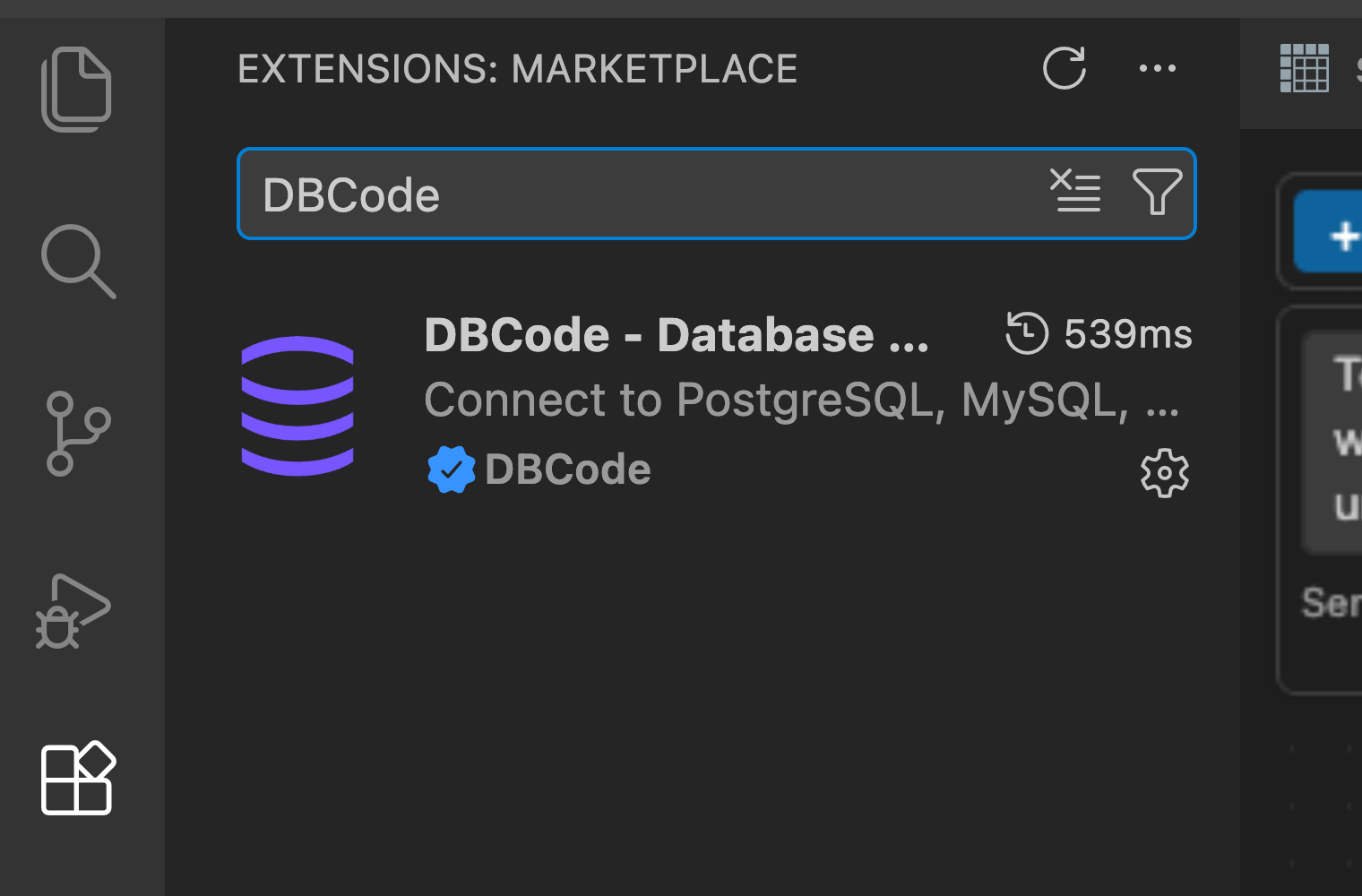
Install DBCode
Open the Extensions panel in VS Code. Search “DBCode”. Click Install. Done.
Connect to PostgreSQL
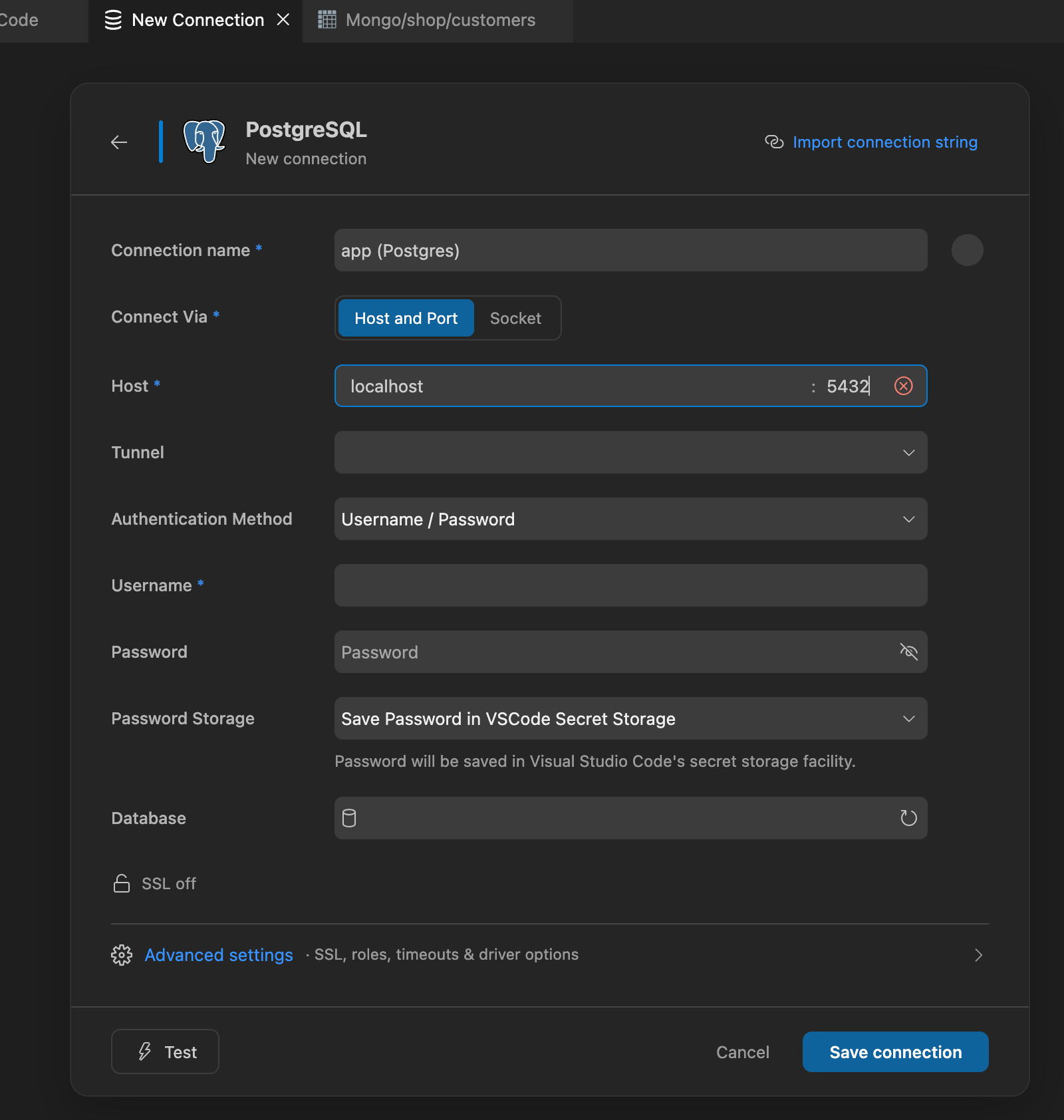
Click the DBCode icon in the sidebar, then “New Connection”. Pick PostgreSQL, enter your connection details.
If you’re on Supabase or Neon, DBCode can auto-discover your databases. One click.
Browse Your Data
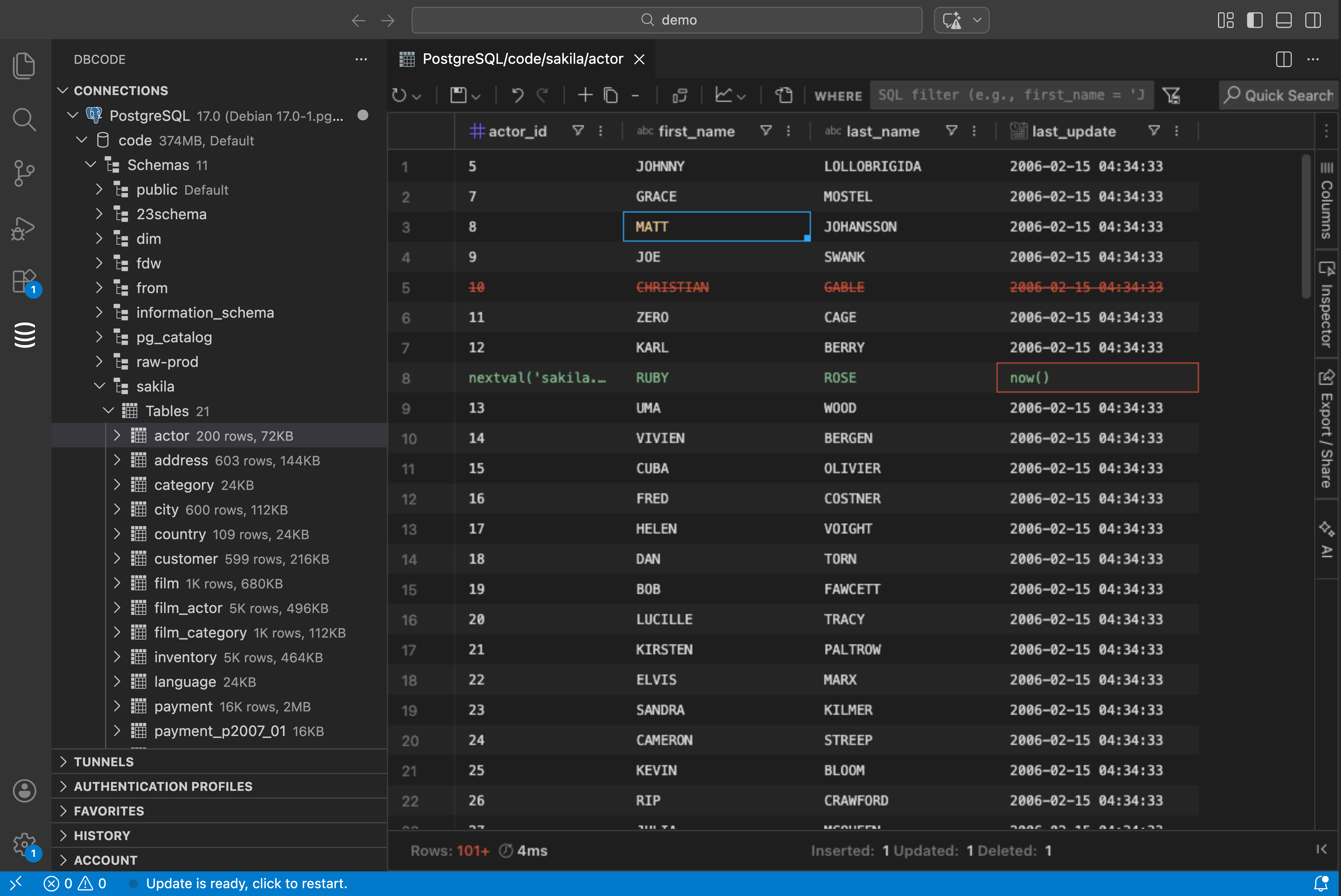
Your databases, schemas, and tables show up in a tree view. Click any table to see its data right away. No SQL needed.
Filter, sort, and group with clicks. Need to edit a row? Click it, change the value, hit apply. DBCode shows you what will change before it runs.
Write SQL (or Let AI Do It)
The SQL editor has syntax highlighting and autocomplete that knows your schema. It suggests table names, columns, and relationships as you type.
If you have GitHub Copilot, just ask in plain English: “Show me all users who signed up in the last 7 days.” Copilot writes the SQL, DBCode runs it.
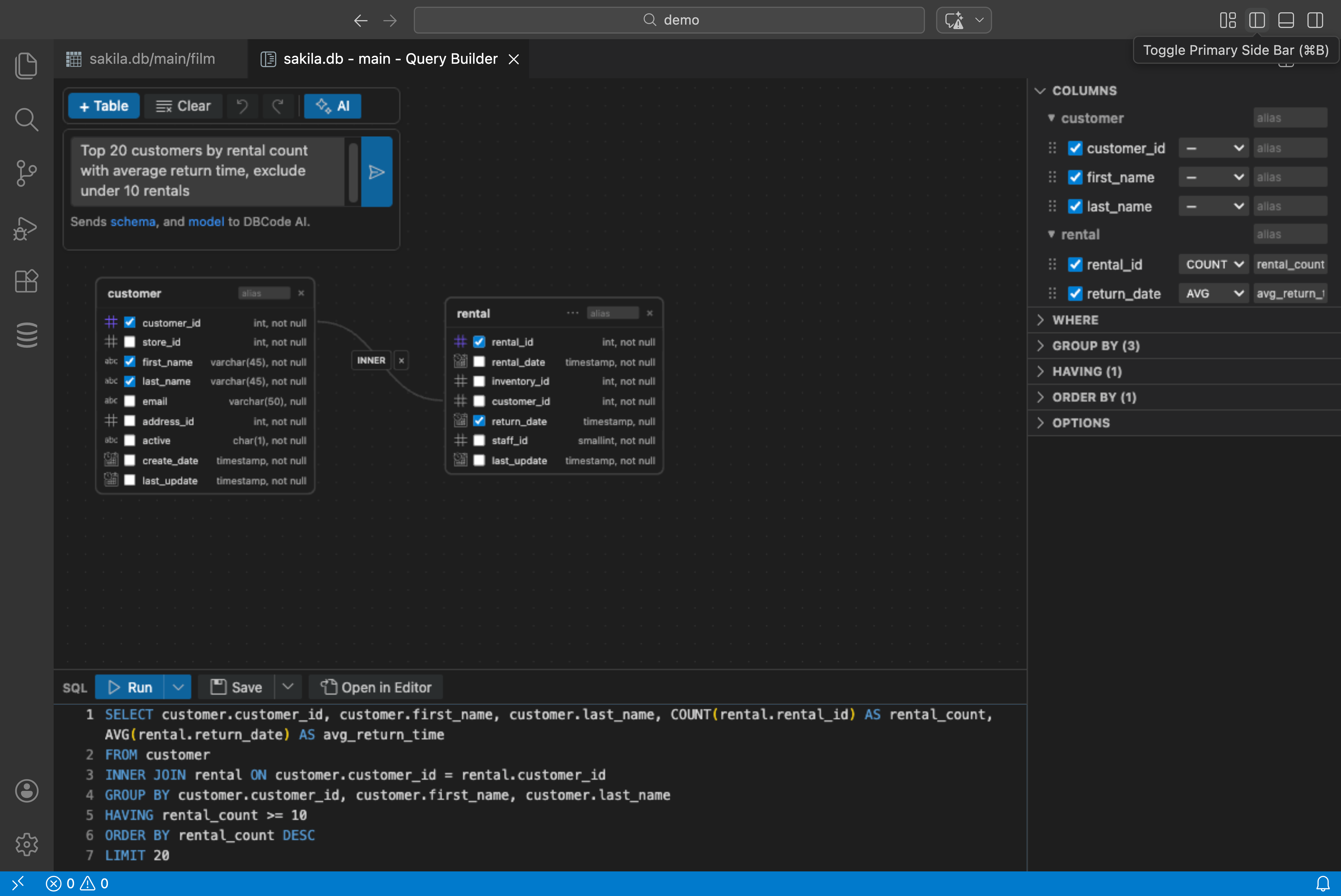
Build Queries Visually
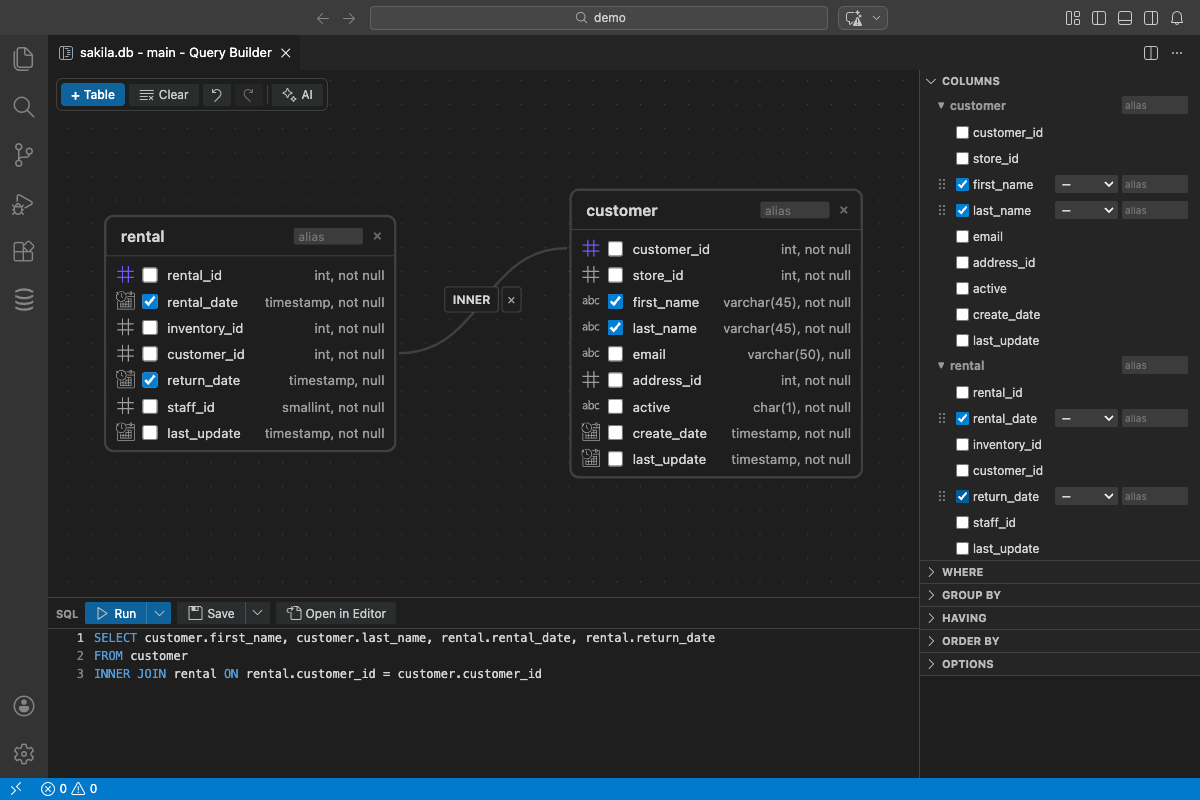
Don’t want to write SQL at all? The query builder lets you pick tables, add joins, set filters, and sort. All with clicks. DBCode generates the SQL for you.
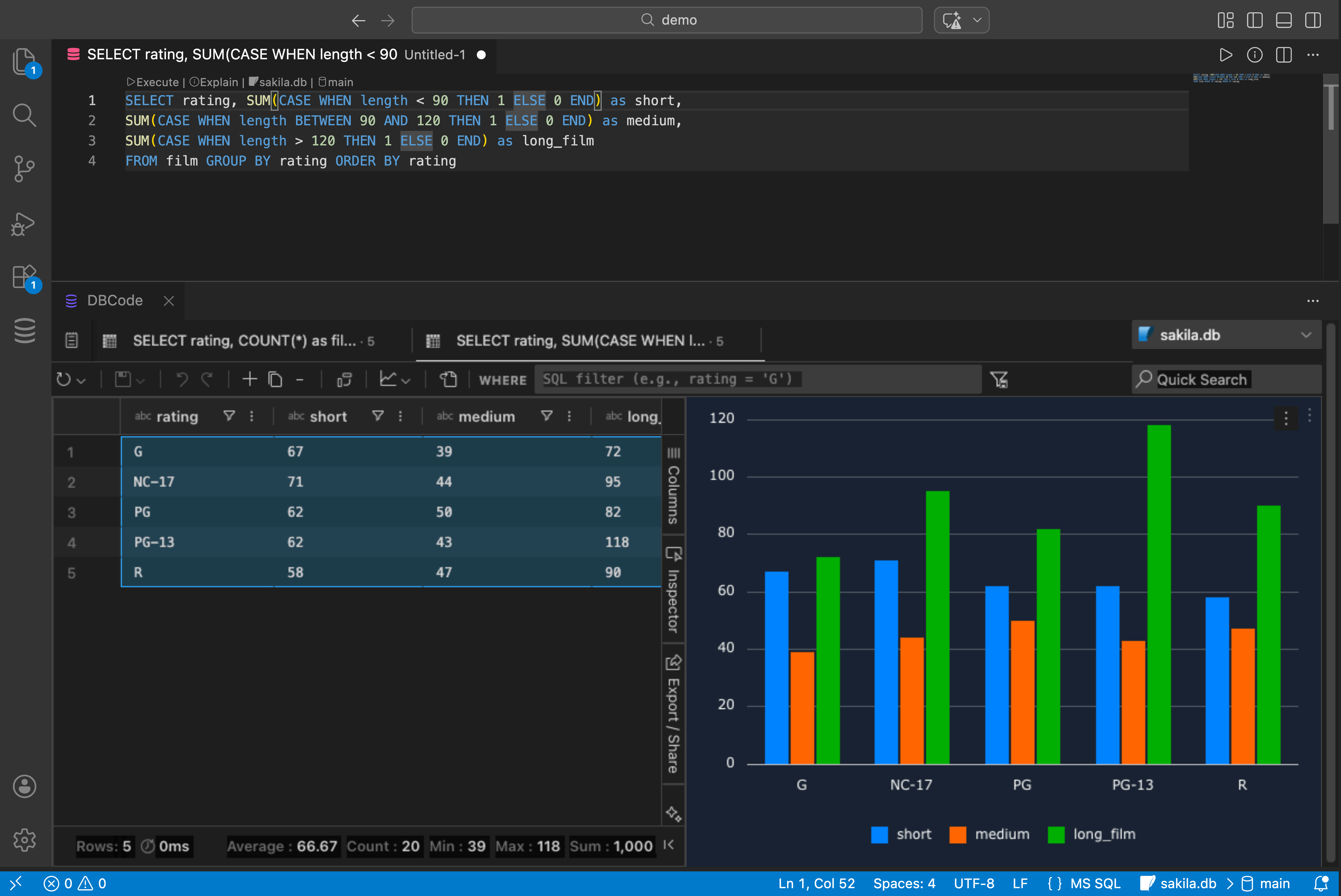
Turn Results into Charts
Select your query results and pick a chart type: bar, line, pie, scatter, or area. No extra tools. No exporting to a spreadsheet.
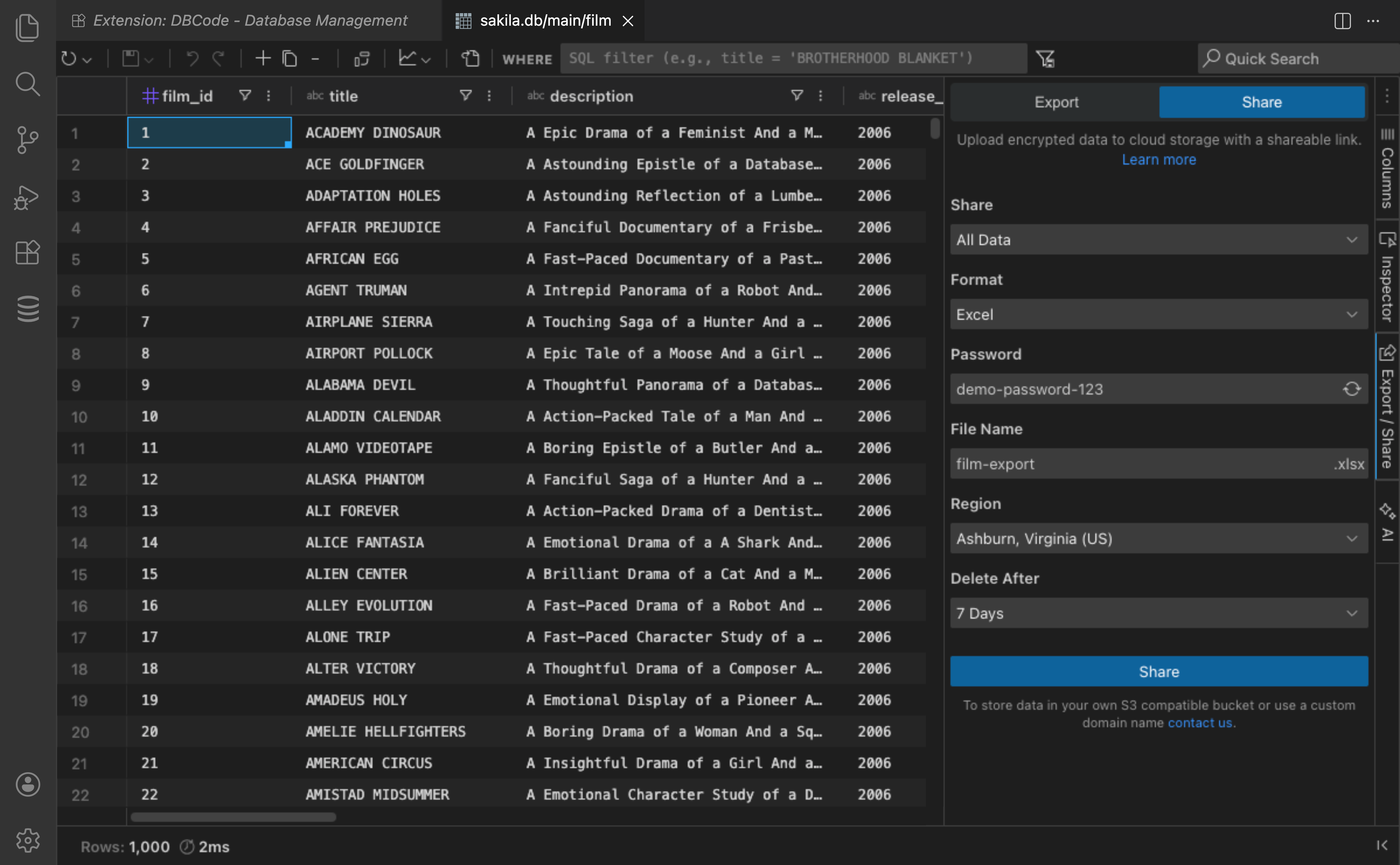
Share Results Securely
Need to send query results to someone? DBCode generates encrypted, passphrase-protected links that expire automatically. They don’t need VS Code or DBCode to view them.
Not Just Postgres
DBCode works with 90+ databases. Same interface for all of them. Postgres today, MySQL tomorrow, MongoDB next week. Learn it once.
Works on Windows, macOS, and Linux.