

Your dev database is empty, or worse, full of fake data that never triggers the bug. The real shapes live in production. The usual fix is a dump-and-restore dance: pg_dump, scp, restore, then realize you copied 40GB to debug one table.
DBCode has a shorter path: copy exactly the rows you need, from one connection to another, without leaving VS Code.
Ask an AI Agent to Do It
Open your agent in agent mode and describe what you want:
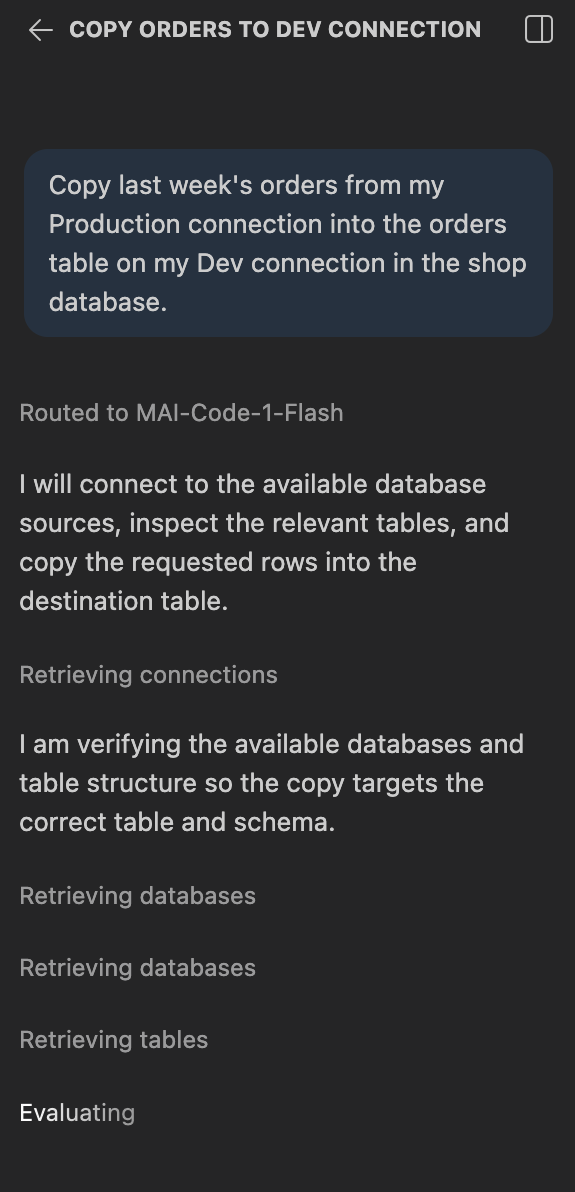
“Copy last week’s orders from my Production connection into the orders table on my Dev connection.”
DBCode gives the agent tools to list your connections, read schemas, and copy data. It works out the rest: it runs your query on the source connection and batch-inserts the results into the destination table. If the table doesn’t exist on the destination yet, the agent creates it first.
Any agent works. GitHub Copilot picks up DBCode’s tools natively; Claude, Cursor, ChatGPT, and anything else connect through DBCode’s MCP server.
Your Data Never Feeds the Model
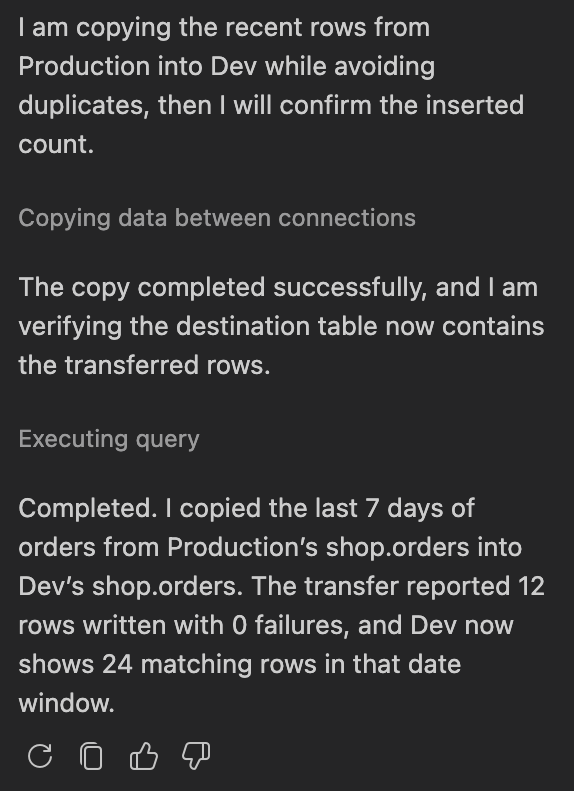
Worth being precise about, since this is production data: the rows move directly between your connections. The AI only receives a status summary with row counts. It decides what to copy; it never sees what was copied.
Shape the Copy with SQL
The source side is just a query, so everything SQL can do applies:
- Slice by time or key range:
WHERE created_at > now() - interval '7 days' - Rename columns on the way over: column aliases in the query define the destination mapping, so
SELECT id, email AS contact_email FROM userslands in acontact_emailcolumn - Mask what dev shouldn’t have: alias expressions work too, so hash or blank sensitive columns in the SELECT before they ever leave production
Guardrails
A few behaviors that keep the copy predictable:
- Duplicates: choose to error (default), skip conflicting rows, or replace them (an upsert by primary key). Re-running a copy with skip makes it incremental.
- Bad rows: halt on the first error, or continue and get a report of what was skipped.
- Scale: copies are capped at 1 million source rows per run. For more, narrow the query into key ranges and re-run with duplicates set to skip.
Prefer Clicking to Prompting?
The same capability is available without AI: DBCode’s Import feature loads data into a table from CSV and JSON files, or from another table. Right-click a table, pick Import, choose your source.
Copying data between connections uses Import Data, a Pro feature. The free tier covers browsing, querying, and unlimited connections.
Not Just Postgres
This works across the 90+ databases DBCode speaks: pull Postgres rows into a local SQLite file for a repro case, or copy a MySQL table into DuckDB to analyze it. Source and destination don’t need to be the same engine.