

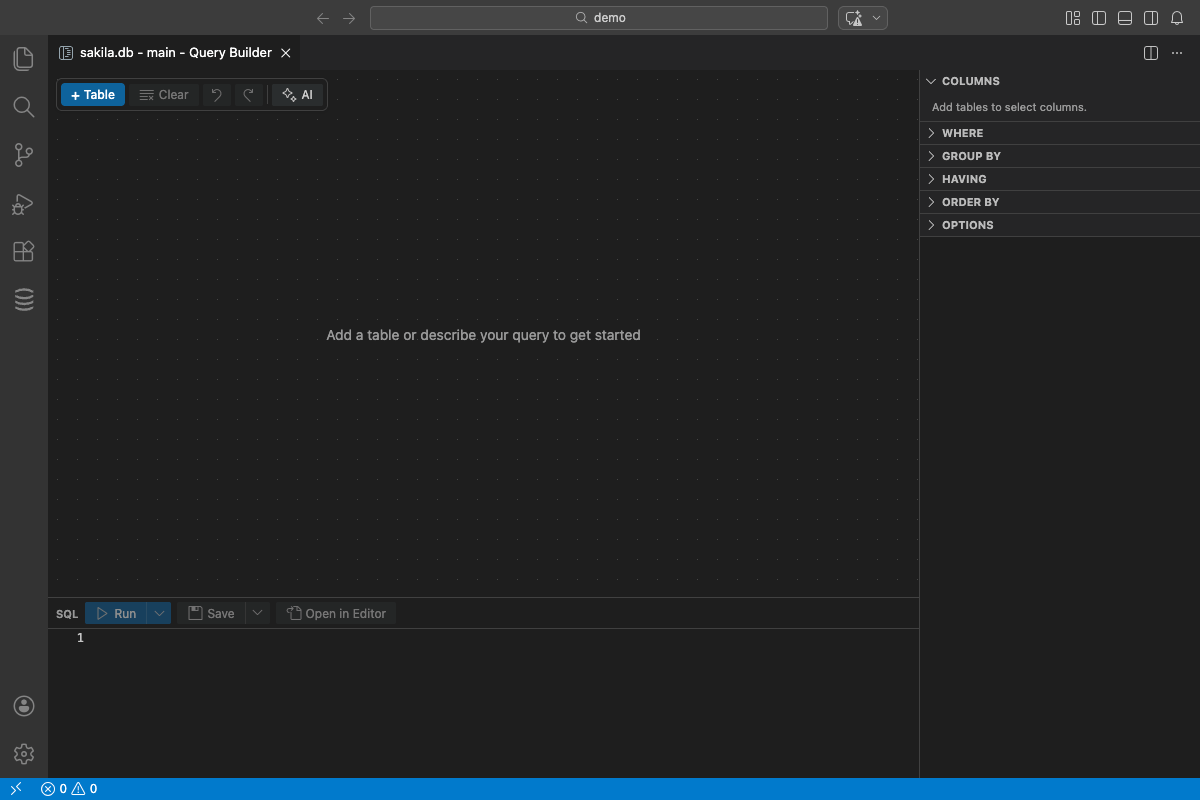
Not everyone wants to write SQL by hand. Sometimes you just want to grab some data from a couple of tables without remembering JOIN syntax.
DBCode has a visual query builder that lets you do exactly that.
How It Works
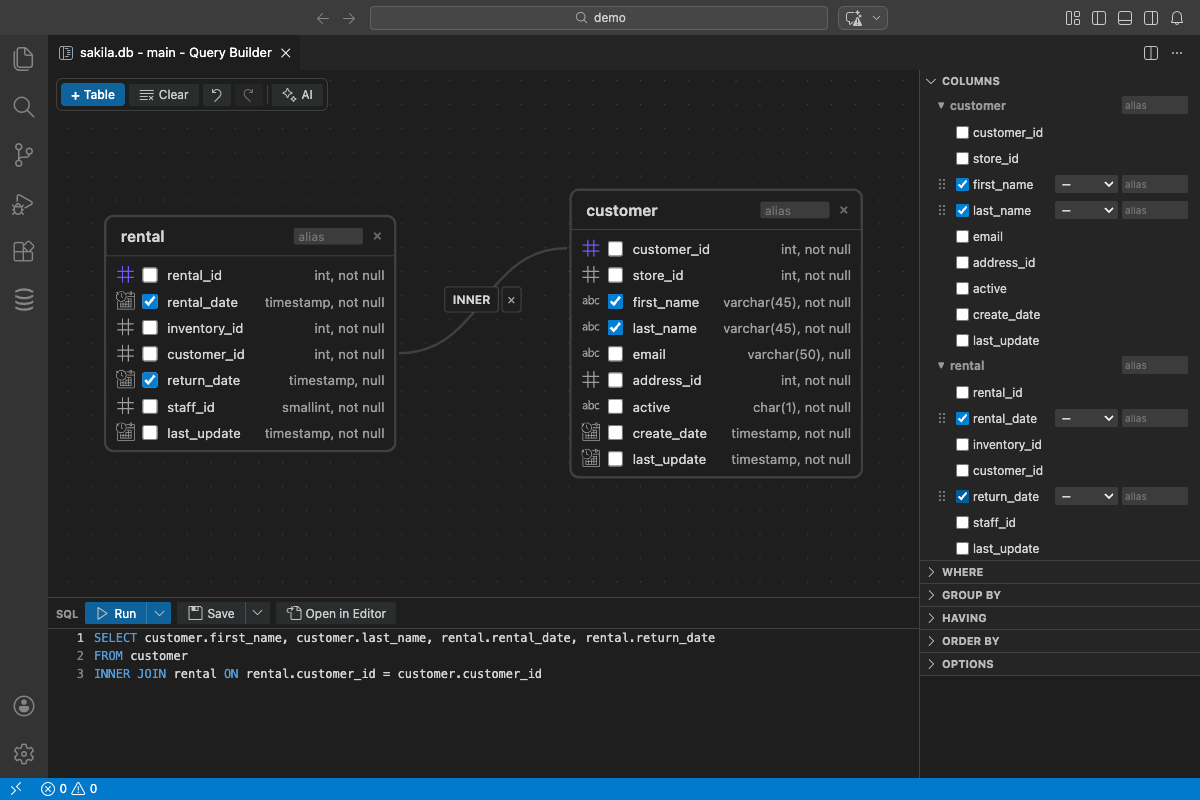
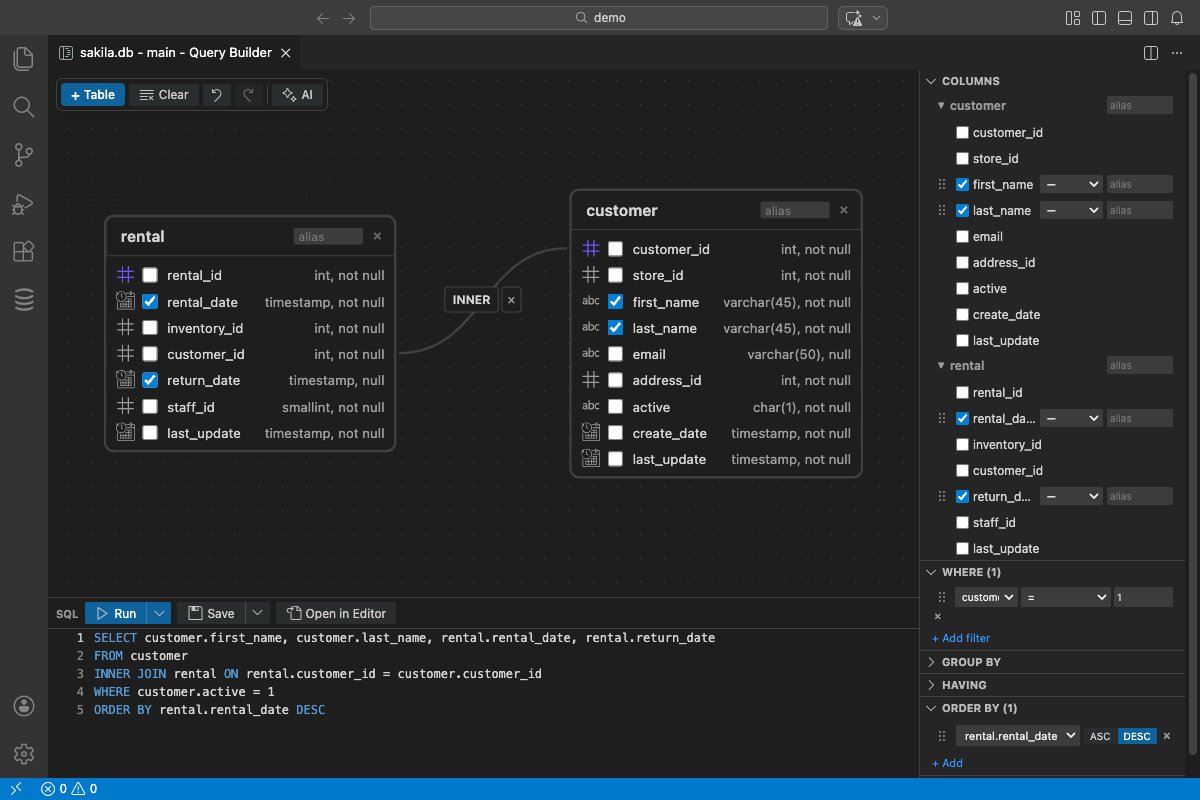
Open the query builder, pick your tables. DBCode shows you the columns. Click the ones you want. Add a join by dragging between tables. Set filters with dropdowns. Pick sort order.
DBCode writes the SQL. You see it update in real time as you click.
Joins Made Simple
This is where it really helps. Adding a JOIN in the query builder is just connecting two tables visually. DBCode figures out the relationship from your foreign keys.
No more looking up which column connects orders to customers. Just click.
When to Use It
Exploring unfamiliar databases. Don’t know the schema yet? The query builder shows you what’s there. Click around until you find what you need.
Quick data checks. Need to see all orders from last week? Faster to click than to type.
Learning SQL. Watch the SQL update as you build visually. Great way to understand how JOINs, WHERE clauses, and GROUP BY work.
Building complex queries incrementally. Start with the builder, then switch to the SQL editor to fine-tune.
You Can Always Switch to SQL
The query builder isn’t a replacement for the SQL editor. It’s a starting point. Build your query visually, then click Open in Editor to copy the generated SQL into the SQL editor where you can hand-edit it.
AI Queries Too
There’s a third option. Type plain English into the query builder toolbar: “Show me the top customers by revenue this quarter with their most recent order date.” DBCode reads your schema, builds the query, and updates the canvas with tables, joins, and filters. No Copilot needed.
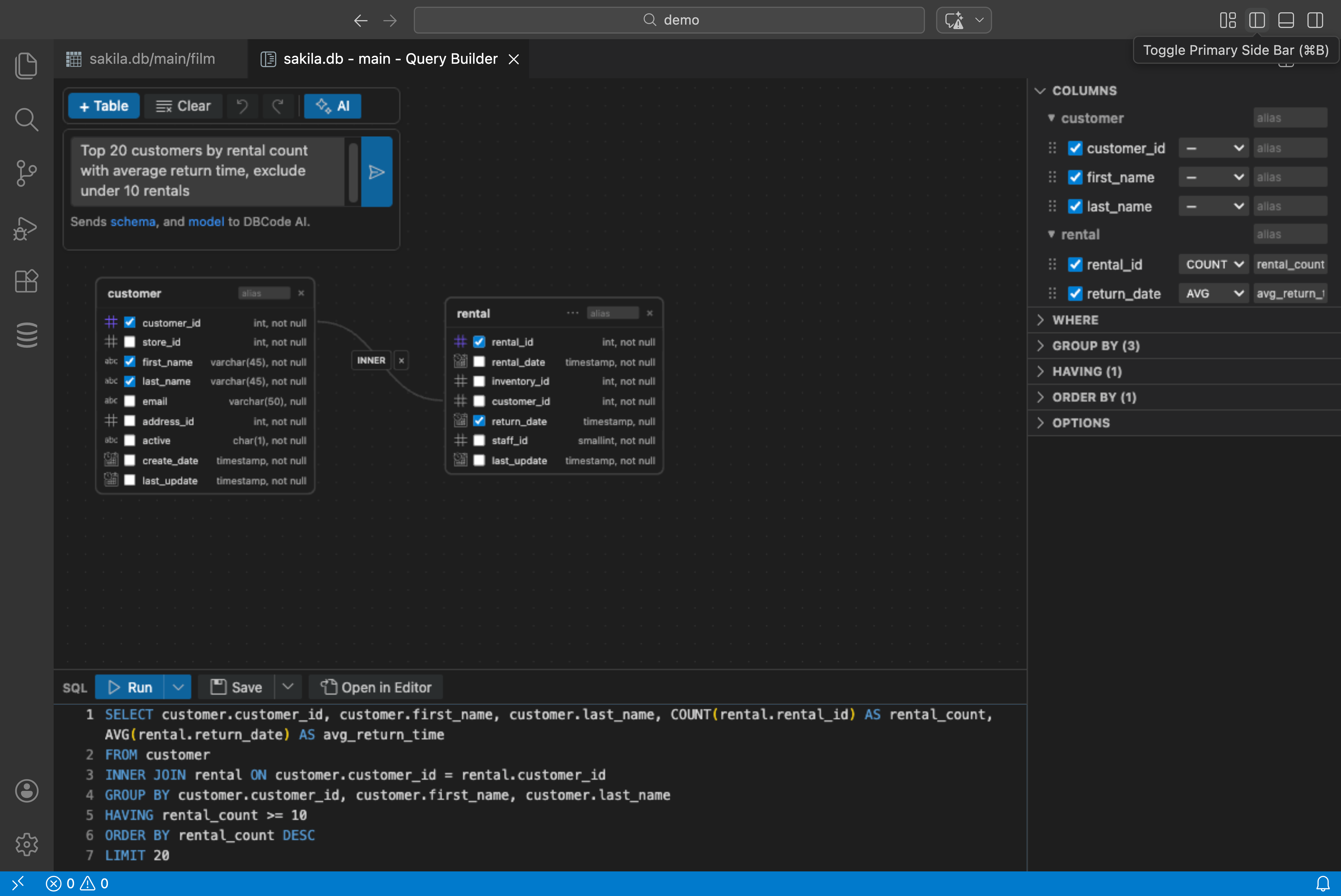
Three ways to query: write SQL, build visually, or ask in English. Use whichever fits the moment.
Get DBCode: https://dbcode.io/docs/query/query-builder