
DataLive and share
Streaming
Overview
Section titled “Overview”DBCode supports live streaming from databases and message brokers that provide real-time event feeds. When you subscribe to a data source, the data grid switches into streaming mode - incoming events appear as new rows in real time, with a status bar showing the connection state and event count.
Streaming is available for:
| Database | Mechanism | Subscribe Target |
|---|---|---|
| PostgreSQL | LISTEN/NOTIFY | Channels |
| MongoDB | Change Streams | Collections |
| Redis | Pub/Sub | Channels |
| SurrealDB | LIVE SELECT | Tables |
| Firebase | onSnapshot | Collections (Firestore only) |
| RavenDB | Changes API | Collections |
| Apache Kafka | Consumer Groups | Topics |
| RabbitMQ | AMQP Consumers | Queues |
How to Subscribe
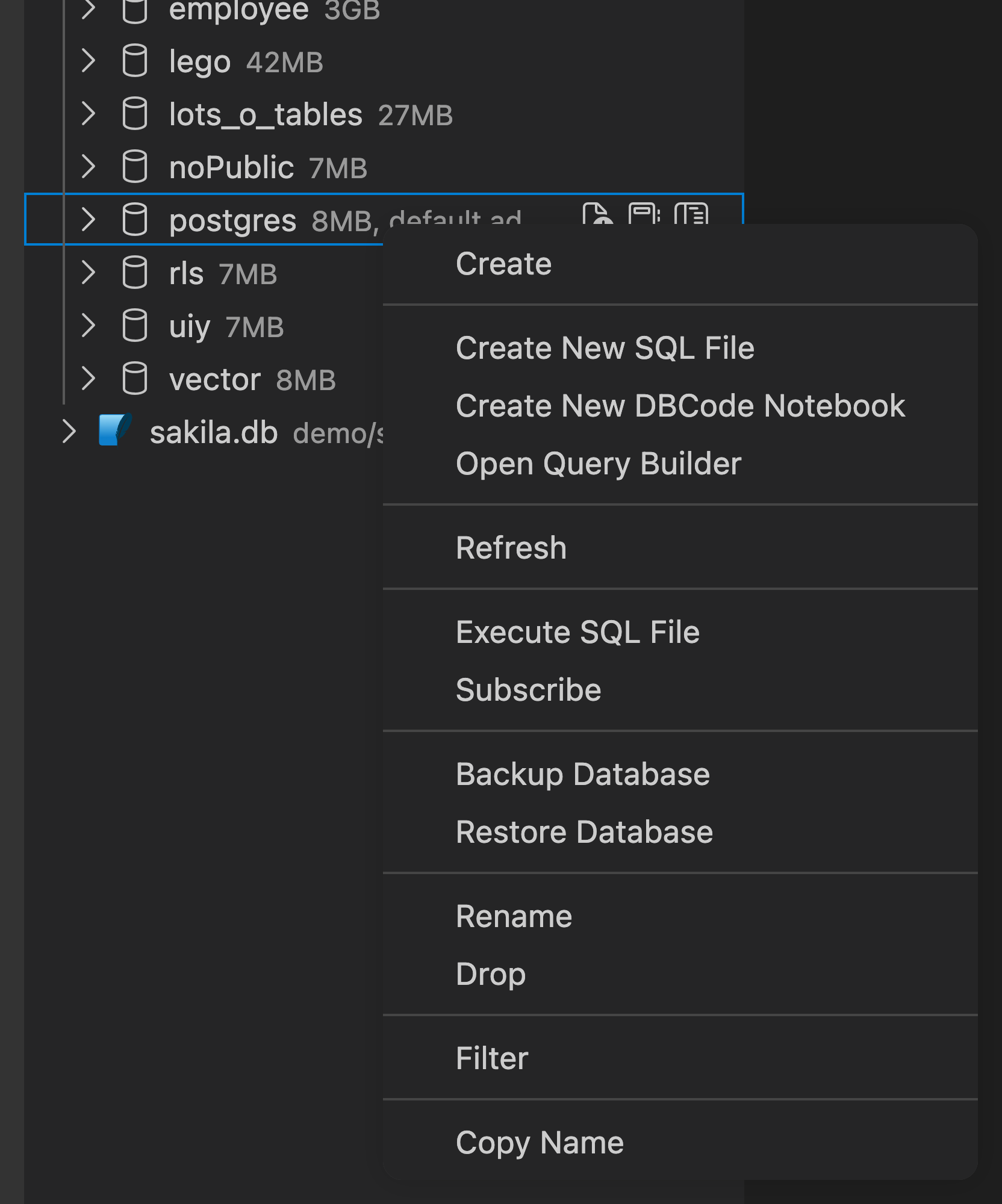
Section titled “How to Subscribe”Right-click on a supported item in the connection explorer and select Subscribe from the context menu. The data grid opens in streaming mode with a broadcast icon indicating an active stream.
For databases that support it, you can also start a stream from the query editor:
- PostgreSQL:
LISTEN channel_name; - MongoDB:
db.collectionName.watch() - Redis:
SUBSCRIBE channel_name - SurrealDB:
LIVE SELECT * FROM table_name;
Streaming Grid
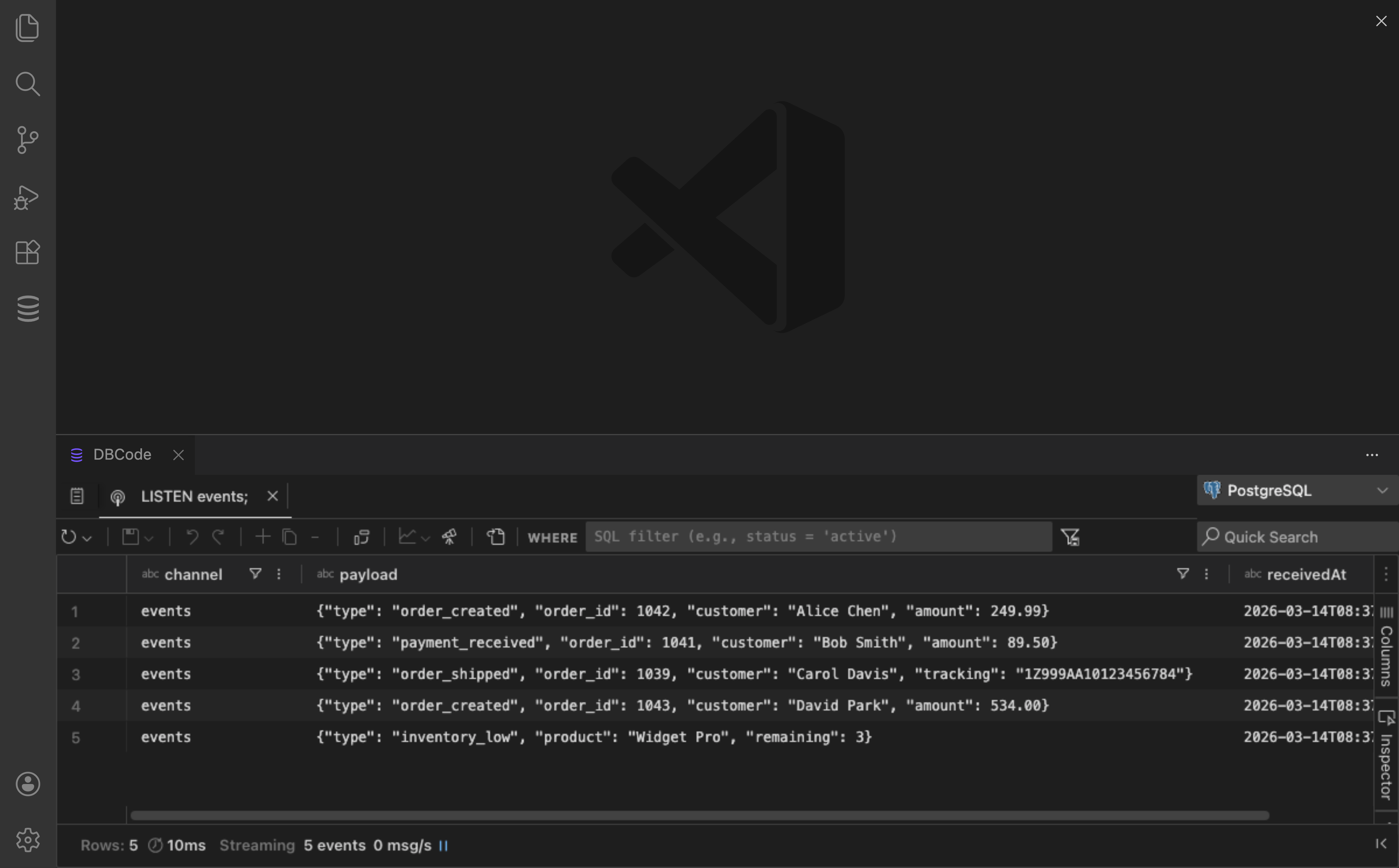
Section titled “Streaming Grid”While a stream is active, the data grid displays:
- Status bar: Shows the stream source, event count, and elapsed time
- Stop button: Click to end the stream and return the grid to a normal state
- Live rows: New events appear at the top of the grid as they arrive
Each event row includes metadata such as the event type (create, update, delete, message) and a timestamp.
Requirements
Section titled “Requirements”- PostgreSQL: Any PostgreSQL server supports LISTEN/NOTIFY
- MongoDB: Requires a replica set or sharded cluster. Standalone MongoDB servers do not support Change Streams
- Redis: Any Redis server supports Pub/Sub
- SurrealDB: Any SurrealDB instance (WebSocket connection required for live queries)
- Firebase: Firestore databases only (Realtime Database does not support onSnapshot collection listeners)
- RavenDB: Any RavenDB server (uses the Changes API via WebSocket)
- Apache Kafka: Any Kafka broker
- RabbitMQ: Any RabbitMQ broker with the management plugin enabled
Availability
Section titled “Availability”Live Streaming is a Pro feature. See Pricing for details.