
Connections
Security
DBCode lists a server’s users, roles, and logins under Security in the explorer. Click one to see its settings, the roles it belongs to, and what it has been granted.
Which databases
Section titled “Which databases”This works for the databases that have server-level users and roles:
| Database | What you see |
|---|---|
| PostgreSQL | Roles |
| SQL Server | Logins and Server Roles |
| MySQL / MariaDB | Users and Roles |
Other engines and file-based databases (SQLite, DuckDB, PGLite) don’t have server accounts, so there’s no Security entry for them.
Browsing accounts
Section titled “Browsing accounts”Expand a connection and open Security. The folders inside (Roles, Logins, Users, depending on the database) load when you first open them and list the accounts on the server, each with a short status such as a disabled login or a locked user.
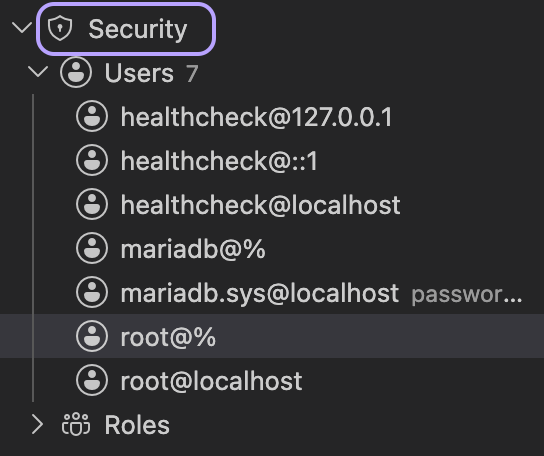
If the account you’re connected as can’t read the server’s list of accounts, you’ll see an “insufficient privileges” message instead of a list.
Opening an account
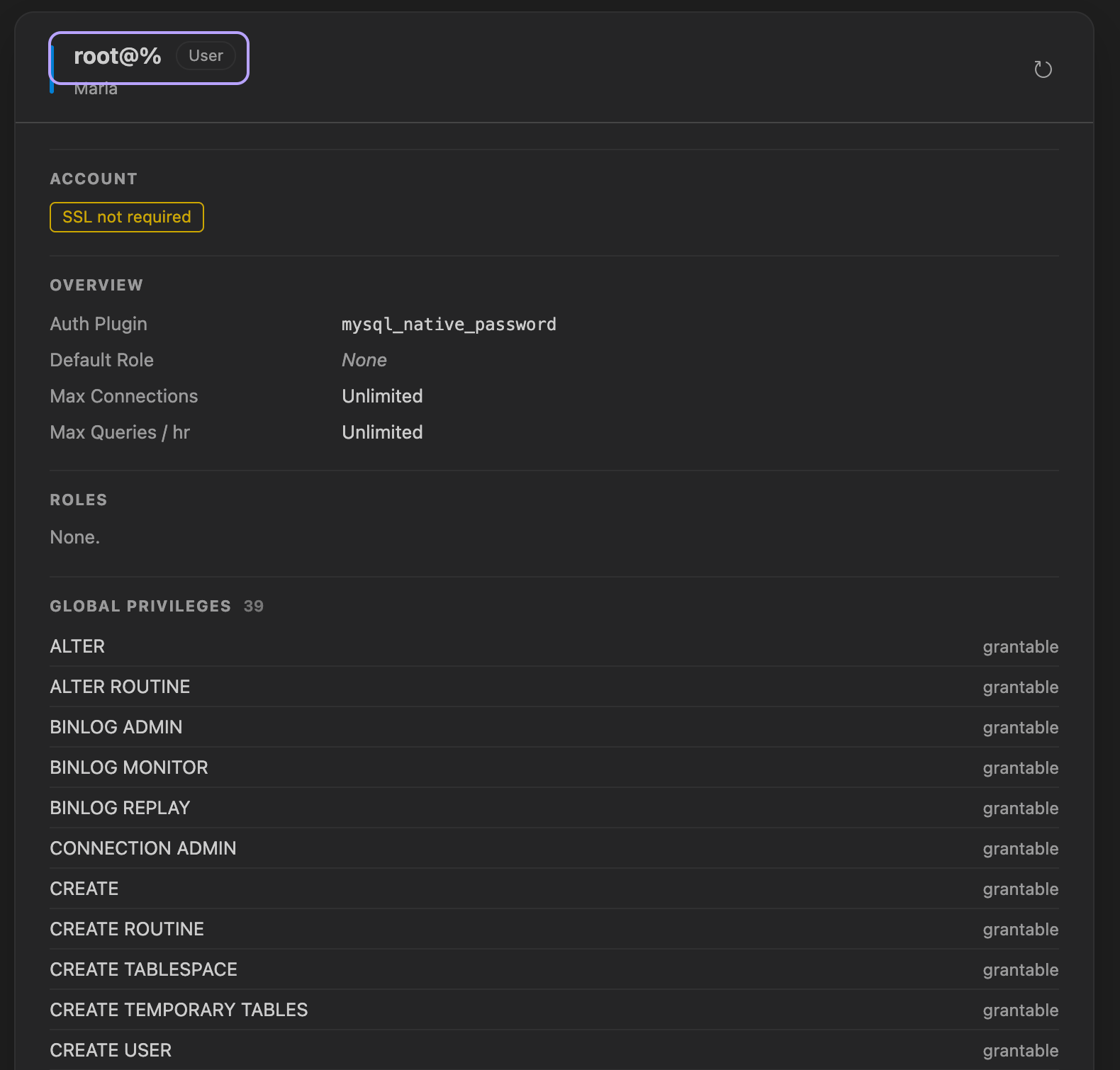
Section titled “Opening an account”Click any user, role, or login to open a panel for it. The panel header shows the name, what kind of account it is, and the connection. Opening another account on the same connection reuses the same panel, and the refresh button re-reads the current one.
The top of the panel is a row of tags summarizing the account at a glance:
- PostgreSQL shows the role attributes that are turned on: Superuser, Create DB, Create Role, Can Login, Replication, Bypass RLS, Inherit.
- SQL Server shows the login type (SQL, Windows, or Entra), whether it’s enabled or disabled, and whether password policy is enforced.
- MySQL / MariaDB shows whether the account is active or locked, whether SSL is required, and whether the password has expired.
Settings
Section titled “Settings”Below the tags, Overview lists the account’s main settings:
- PostgreSQL - connection limit, valid-until date, OID, and comment.
- SQL Server - type, created and modified dates, default database, default language, and SID.
- MySQL / MariaDB - authentication plugin, password expiry, default role, and resource limits (max connections and queries per hour).
Memberships
Section titled “Memberships”DBCode shows membership both ways: the roles this account belongs to, and the accounts that belong to it. Every row is a link, so you can click through from one account to another without going back to the tree.
- PostgreSQL - Member of and Members, each showing whether the admin option is set.
- SQL Server - a login shows the Server Roles it belongs to; a server role shows its Members.
- MySQL / MariaDB - a user shows its Roles; a role shows its Members. This is skipped on servers that don’t support roles.
Grants
Section titled “Grants”The panel also shows what the account is granted at the server level:
- SQL Server - Server Permissions, with each permission’s state (grant, deny, or grant with grant option).
- MySQL / MariaDB - Global Privileges, the server-wide (
*.*) grants, and whether each can be passed on. - PostgreSQL has no separate grants list: a role’s server-level powers are the attributes shown in the tags, and object grants live per database.
If you’re connected as a low-privilege account, the server may hide another account’s details. When that happens, the affected sections say so plainly instead of showing an empty table.