
DB Explorer
Layout
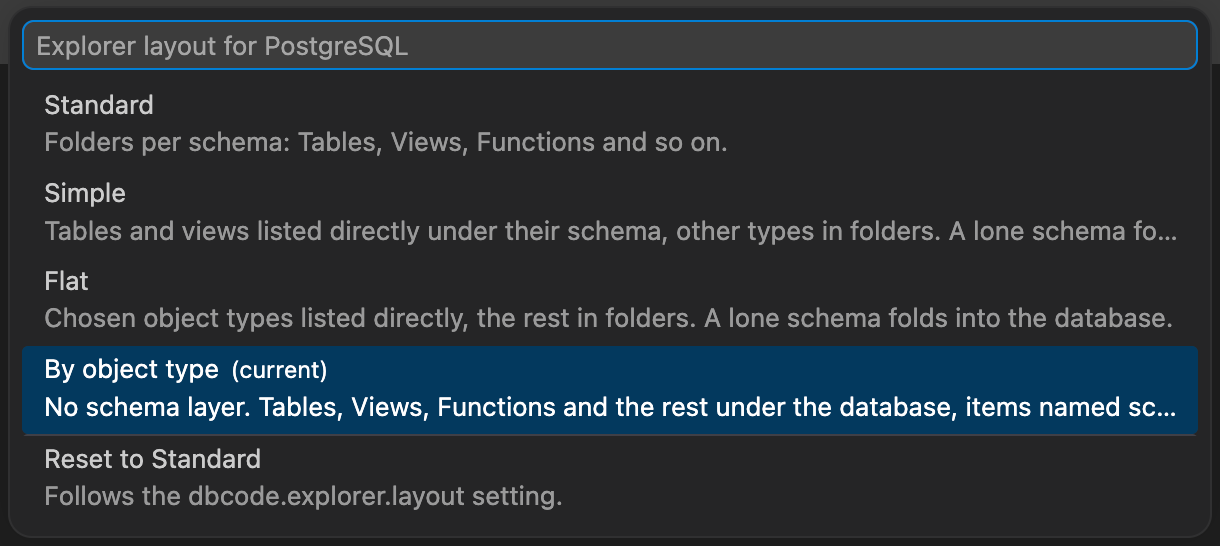
By default the DB Explorer groups the objects in a database or schema into folders: Tables, Views, Functions, Types and so on. Four layouts let you change that for a single connection or for all of them.
Layouts
Section titled “Layouts”Standard is the default: every schema with its own Tables, Views, Functions and other folders.
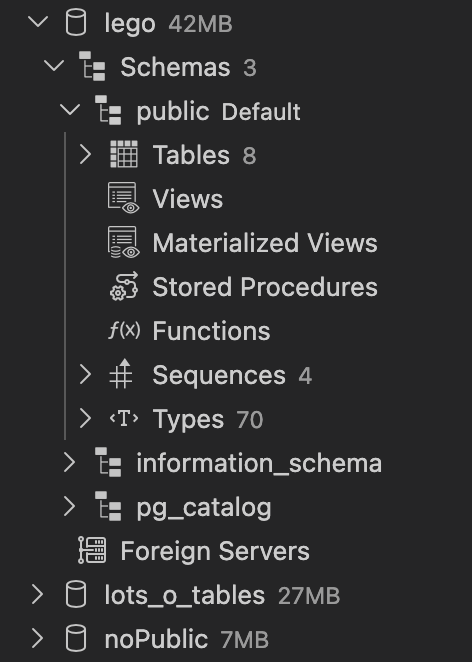
Simple lists tables and views directly under their schema and keeps the other types in folders. A database with a single schema, such as public on PostgreSQL or dbo on SQL Server, folds that schema away, so clicking the database shows its tables straight away.
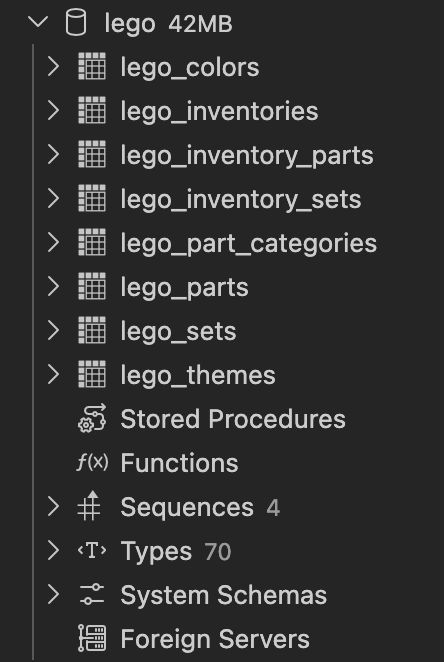
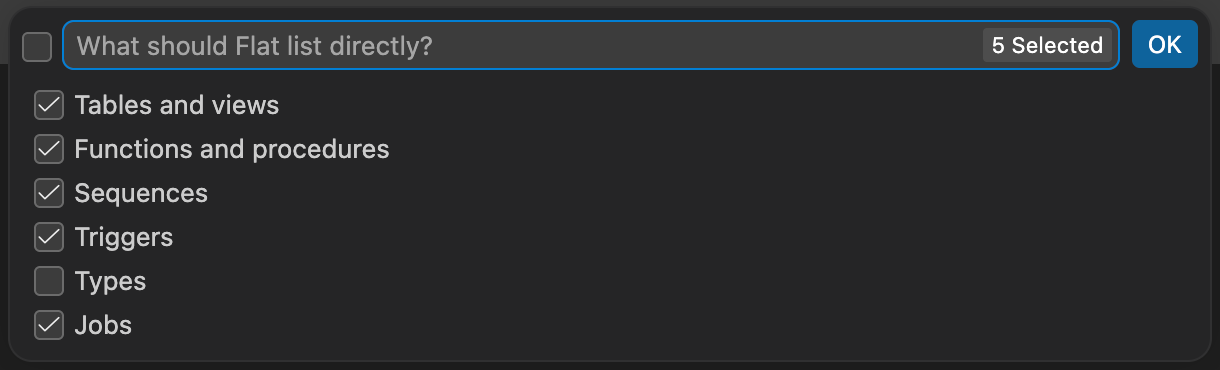
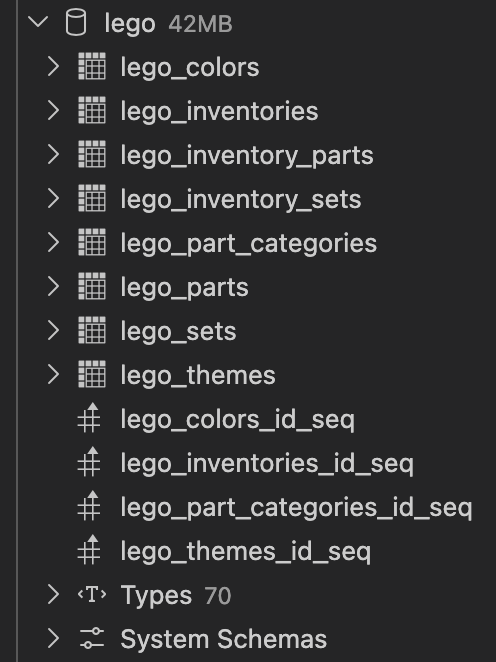
Flat lists the object types you choose directly and keeps the rest in their folders. Choosing Flat asks which types to list: tables and views, functions and procedures, sequences, triggers, types, and jobs. Every type except Types is on by default, because an engine’s built-in types would otherwise fill the list. A single schema folds away the same way.
By object type removes the schema layer, as SQL Server Management Studio does. The database shows Tables, Views, Functions and the other types, with every schema’s objects merged into each folder and named schema.object. A database with a single schema drops the prefix. A Schemas folder near the end lists the schemas themselves for creating, renaming or dropping them.
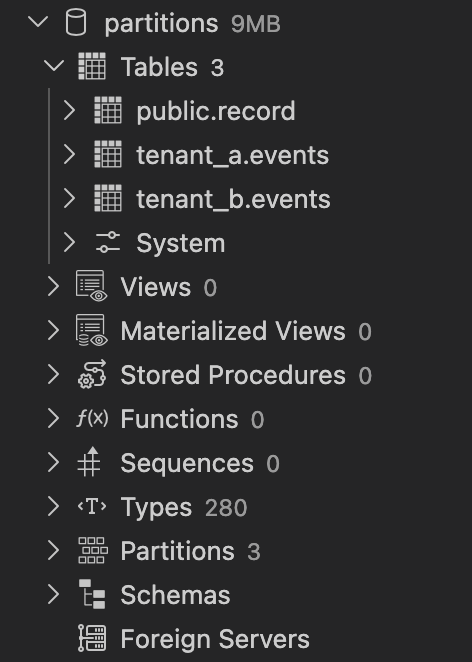
Simple, Flat and By object type set the engine’s own schemas aside. On PostgreSQL that is pg_catalog and information_schema, on SQL Server sys, INFORMATION_SCHEMA, guest and the db_* role schemas. Simple and Flat gather them into a System Schemas folder at the bottom of the database. By object type puts their objects into a System sub-folder inside each type folder. Standard leaves them where they are today.
Choosing a Layout
Section titled “Choosing a Layout”Right-click a connection and choose Explorer Layout… to pick a layout for that connection; the list opens on the one it shows now. The same choice sits in the connection editor under Advanced. A connection without its own choice follows the dbcode.explorer.layout setting; Reset to, the last entry in both places, puts a connection back on it.
"dbcode.explorer.layout": "simple"Actions Without Folders
Section titled “Actions Without Folders”When a type’s folder is gone, its right-click actions move to the row that now holds its objects. Right-click the database or schema and choose the entry named after the type, for example Tables…, to create, import, filter or refresh.
In By object type the merged folders keep their own menus. Create, Import Data and Entity Relationship Diagram ask which schema to use first. Filter works on the merged list and matches the names as shown, so a pattern such as sales.% keeps one schema’s objects.